Welcome to a random collection of rants, reviews, and miscellaneous thoughts on everything from instructional technology to local restaurants. Feel free to stay awhile, and add a comment or two if so inspired.
27 May
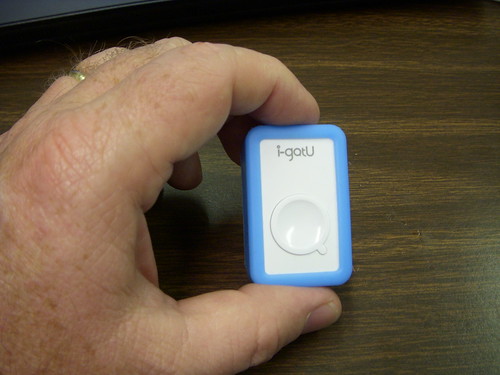
As I stated in my last post, the i-GotU GT-120 was a pleasant surprise. The unit functions much better than the GT-100 that I purchased and returned last year. It geotagged images accurately from my little Nikon S50 camera. However, in my last tests I ran into some puzzling problems – not with the GT-120 but with my QStarz BT-1000 and also with my big Nikon D50 DSLR. Where both had worked together accurately for quite awhile now, neither was able to get a geotagged image – the D50 with either GPS tracker, and the BT-1000 with either camera. More tests were needed. The problems appeared to be related to incorrect time-codes, so I started from that basis.
Before I got started with the comparison tests, I did another quick test of the GT-120. On Monday I kept it in my pocket all day. The unit was able to track my location the entire time. Another good sign for the GT-120.
For my first comparison test I set up my Nikon S50 in interval mode, shooting one shot every 30 seconds, and placed it on my dashboard for the drive home from work. I put the GT-120 and the BT-1000 on the dash beside the camera. When I got home I made two sets of the images and downloaded the GPS tracks from both units. The GT-120 geotagged the images with no problem. The BT-1000, however, placed all of the images at the very end of the track.
An examination of the GPS track showed me that the BT-1000 had never reset for Daylight Savings Time. Fortunately, the accompanying software has a time-shift utility. Once I shifted the photos back an hour, it located the images accurately. The image below shows both the GT-120 and the BT-1000 images as located in Google Earth.
Of course, this was still with my little point and shoot Nikon. All of this would be for naught if I couldn’t get it to work with my DSLR. For the second test I double-checked the time on the D50, and sure enough, IT had never been reset for Daylight Savings Time. That’s why the GT-120 couldn’t find any of its images on my earlier test run. The clock was not off by an exact hour, so a when I did a one-hour time shift in my previous test, it was able to geo-locate the image, but not accurately. I set the clock on the D50 to match the S50, and set off for one final test.
As with previous tests I placed the GT-120 and the BT-1000 side-by-side on my dash board and drove to work – the exact same route as the previous test. This time I took random photos out the window with my DSLR. I made sure that I took pictures of intersections and easily recognized landmarks, such as overpasses, so that I could gauge accuracy of both GPS trackers.
With the clock reset on the DSLR, the GT-120 was able to accurately geo-locate the photos without any problems. The BT-1000 was able to locate the images, but only after I had done a one-hour time shift for Daylight Savings Time. There were some discrepancies, though. The BT-1000 did tend to place the images closer to their actual location. The GT-120 had more images that were slightly off. I think this might be due to the update settings on both units. The BT-1000 was taking a location reading every 5 seconds, and the GT-120 was taking one every 6 seconds. That might be enough to throw things off if you want pinpoint accuracy at highway speeds, but not enough to cause problems while walking around with your camera. Fortunately, this setting can be changed on both units.
The image below shows the results of the Nikon D50 tracks from the GT-120 and BT-1000 in Google Earth…
After running all of the tests, I downloaded a new update for the BT-1000 software. The new version does include a check box for Daylight Savings Time. I’ll just have to remember to occasionally check the time on my camera, and to reset it with the time change.
So, which one of these GPS trackers will I use? Not sure for now. The i-GotU is certainly smaller and more convenient. Now that accuracy for both cameras is not an issue, I’ll probably alternate using both trackers. The software for each has similar capabilities, both can output a GPX file, both can output to Google Earth (although the BT-1000 creates smaller KMZ files), and both seem to have similar battery life. The main advantage of the BT-1000 is Bluetooth, and that’s not a feature I use. Right now, it’s a toss up, but I’m glad I’ve got options.
25 May
A little over a year ago I tried out the i-GotU GT-100 GPS tracker from Mobile Action. At the time I was looking for a simple tracker for photo geotagging, and the GT-100′a small size and price ($49 from Amazon) were very appealing. I put the unit through a series of tests, and found it to be completely useless for geotagging, and wrote up two reviews to that effect (Test Driving the i-GotU GPS Tracker, and i-GotU GPS Tracker – Summary Review.) Those two reviews generated lots of hits and comments for this website, both for and against the GT-100.
Subsequently, I was contacted recently by Mobile Action and asked if I would be willing to try out the new GT-120. The unit arrived Saturday and I’ve been putting it through the same tests that I did with the GT-100. So far, I’m impressed, and pleasantly surprised. This unit appears to work much, much better, and geotags images like a charm.
17 Apr
I figured it was time for a round-up. I’ve been talking a lot about doing various things with a GPS, but haven’t gone into much detail. Chances are that you got a GPS for your car because you feel like you’re directionally challenged, or you just the convenience of plugging in an address and getting directions. That’s about the extent of what most people do, but there is so much more.
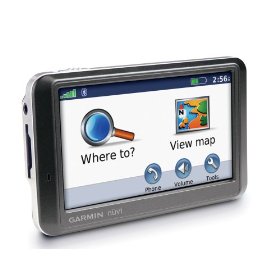
Thought it might be time to talk about automobile GPSs in general, and how they can really benefit a serious rambler like myself. The one I use is a Garmin Nuvi 205, but most of what I’ll cover here should work with just about any unit. If you’re into geocaching, you’ll already be familiar with most of these concepts. (more…)
29 Mar
While out driving the rural highways of South Carolina you may have come across a road sign with this symbol…

Seeing a road sign like this lets you know that you are on either the South Carolina Discovery Route, or the South Carolina Nature Route, both parts of the South Carolina Heritage Corridor.
On the way back from Charleston Laura and I often get off the interstate and take the country roads home. We have specifically looked for these signs, and once followed the the Nature Route as far as we could.
According to the SC Heritage Corridor website…
The South Carolina National Heritage Corridor extends 240 miles across South Carolina, stretching from the mountains of Oconee County, along the Savannah River, to the port city of Charleston…The South Carolina National Heritage Corridor was established by the U.S. Congress in 1996 as one of a select number of National Heritage Areas…
The Heritage Corridor has an excellent website with links to resources around the state. In particular I like the interactive maps using Google Maps. However, there’s a problem. You can’t really do anything with the maps other than follow the links to resources. What I wanted to do was download the data into a KML file for Google Earth, or, better yet, a GPX file that I could dump into my GPS. I e-mailed the webmaster to see if a KML file was available, but never got a response. So, I took matters into my own hand.
By viewing the page source of the map pages on their website I saw that the data points were hard coded into the webpages (or, more likely, imported from a database via some script). Simply by copying and pasting the page source into a text file I had the data, but it wasn’t yet in a useable format.
I won’t explain the entire process, but I used a combination of MS-Access, various queries, etc., etc., to strip away the excess coding until I had latitude, longitude, and location name. I was able to create a comma-delimited file from this data. Using GPSBabel I was able to convert this into both KML and GPX formats. Problem solved, and now I can (and will) dump all of the Heritage Corridor locations into my GPS so that I can either navigate to them directly, or see them pop on the map as I get close enough.
Even more than that, I’m willing to share. Here are both files, which I uploaded to my wiki site…
Enjoy!
27 Jan
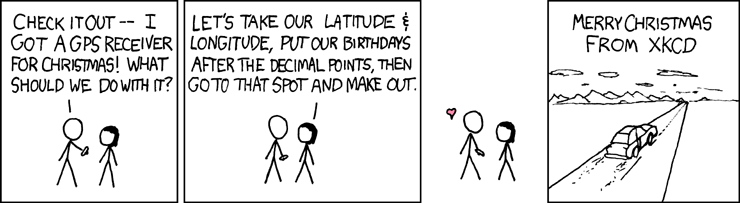
The XKCD comic seen above came out around Christmas of 2006, and formed the basis for a new GPS activity – not necessarily going to a random location and making out, but using random numbers to generate latitude and longitude coordinates. The process of generating the random coordinates is called Geohashing. These coordinates serve as a basis for adventure, not unlike throwing a dart on a map and then trying to reach that location. It’s a lot like Geocaching, but you don’t have to find a little container, and the coordinates change. (more…)
Recent Comments