Welcome to a random collection of rants, reviews, and miscellaneous thoughts on everything from instructional technology to local restaurants. Feel free to stay awhile, and add a comment or two if so inspired.
18 Jul
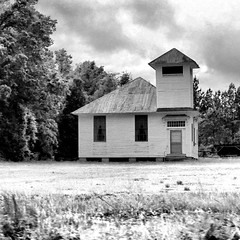
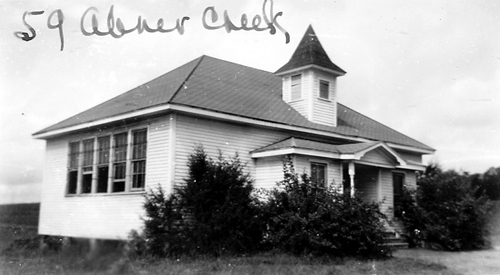
Perhaps it’s that I’m the son of a school principal, and had run of the various schools that I attended growing up. Perhaps it was the many reunions and covered dish suppers our family attended in various country community centers. Perhaps it was even because I spent college summers working maintenance – painting and waxing all of the schools in our district. It might, in some small part, have something to do with my own long career as an educator. Whatever the reason, I’ve always had a fascination with school architecture. Just about any school can be interesting, but what catches my attention most are the old wooden framed country schools.
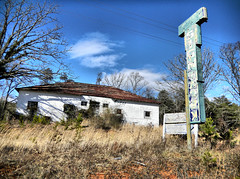
Driving through the country these are easy to spot. The architecture is distinctive. The buildings tend to be squarish with hipped roofs. If it’s got an old bell tower, all the better.
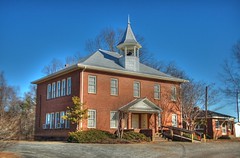
Well, OK, they don’t all have to be white frame. There are some cool old brick schools, too.
Recently I was doing some research on the South Carolina State Archives website. There is a marvelous collection of photographs of old schools taken between 1935-1950 for insurance purposes.

Browsing this collection got me thinking about these old schools. They are great subjects for photography, and an excellent symbol of a bygone time. I wanted to see if I could find more of these old schools, and that meant making a list of potential targets using Google Earth. (more…)
26 May
The folks over at the Google Earth Design blog have been running a series on creating Google Earth tours. They have had some excellent suggestions for creating effective tours. (Part 1, Part 2). It was enough to get me to try creating a tour or two.
For some reason I haven’t done much with GE Tours. To me they seem passive in a constructivist classroom. If I’m doing a presentation, I prefer to use a series of placemarks that I access as needed, rather than a fixed tour. In fact, the GE Design Blog states the following:
If changes of scale and location are not important your narrative it is quicker and just as effective to use presentation software such as PowerPoint.
However, their blog posts inspired me to at least give it a shot. I won’t repeat all of their suggestions, but here are a few things I learned…
6 May
Yesterday I presented readers with a problem – Can you tell the approximate time of day an image was created in Google Earth? Using the image above of Cherrydale Shopping Center in Greenville, I pointed out some clues and some strategies for making a guess. Here’s another, sure-fire way of figuring out the problem…
5 May
Here’s an interesting activity you can do with students using Google Earth. It helps if you use the actual program (or the satellite view in Google Maps) instead of a static image so that students can zoom in and out…
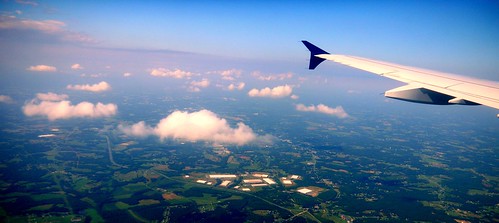
The above Google Earth image is of the Cherrydale Shopping Center in Greenville. Using only clues from the image, can you tell me the following:
Good luck! (more…)
28 Apr
Google Earth is now accessible through a browser via the Google Maps page. The plug-in for Google Earth has been available for quite some time now, so this is only a natural progression. On the Maps page there is now an “Earth” view in addition to Map and Satellite. Terrain has been relegated to the “More” category.
It looks like the Earth view has much of the same functionality as regular Google Earth. You can zoom, pan and even change the angle for a 3D view. The imagery is just as sharp as regular Google Earth. You also have access to 3-D buildings, etc., which previously wasn’t possible in Google Maps.
There are some limitations, though. There are some performance issues with the application opening slowly, or hanging up in some browsers. The amount of screen real estate is limited. You can’t open KMZ/KML files from your desktop. You can pull them into Google Maps if they are already online. Lots of the other tools available in stand alone Google Earth are also not available, such as all of the cool layers and the the ability to open and create complex Google Earth files.
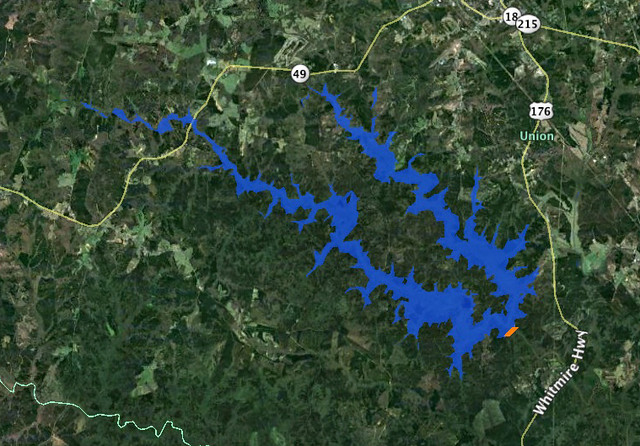
One neat thing is that you can open any files saved under “My Maps” in Google Earth view. You can also embed Google Earth views into blog posts and other web sites. Below I’ve opened up a map of a recent Enoree River paddling trip that I had stored in Google Maps. I opened it in Google Earth view and embedded that view. It functions almost the same as if I were looking at the Maps page.
View Enoree Paddle – Whitmire Stretch in a larger map
If you’re in a situation where a stand-alone version of Google Earth isn’t available, this might be a viable alternative. While the overall imagery isn’t much different from the satellite view, the navigation and 3D capabilities make it a different experience. It is an excellent addition to the Google collection of mapping tools.
Recent Comments